
PTV-Pro TradingView Script
PTV Pro
Targets. Structure. Entries. In One System.
Most traders don’t have a strategy problem.
They have a location problem.
They enter without a destination, then wonder why price “randomly” reverses.
PTV Pro is built to fix that.
It gives you clear targets, clear confirmation, and a clear moment to act—without clutter.

Structure Made Readable

Targets & Key Levels

Customizable Settings based on your criteria

Info Box Dashboard
What PTV Pro Does
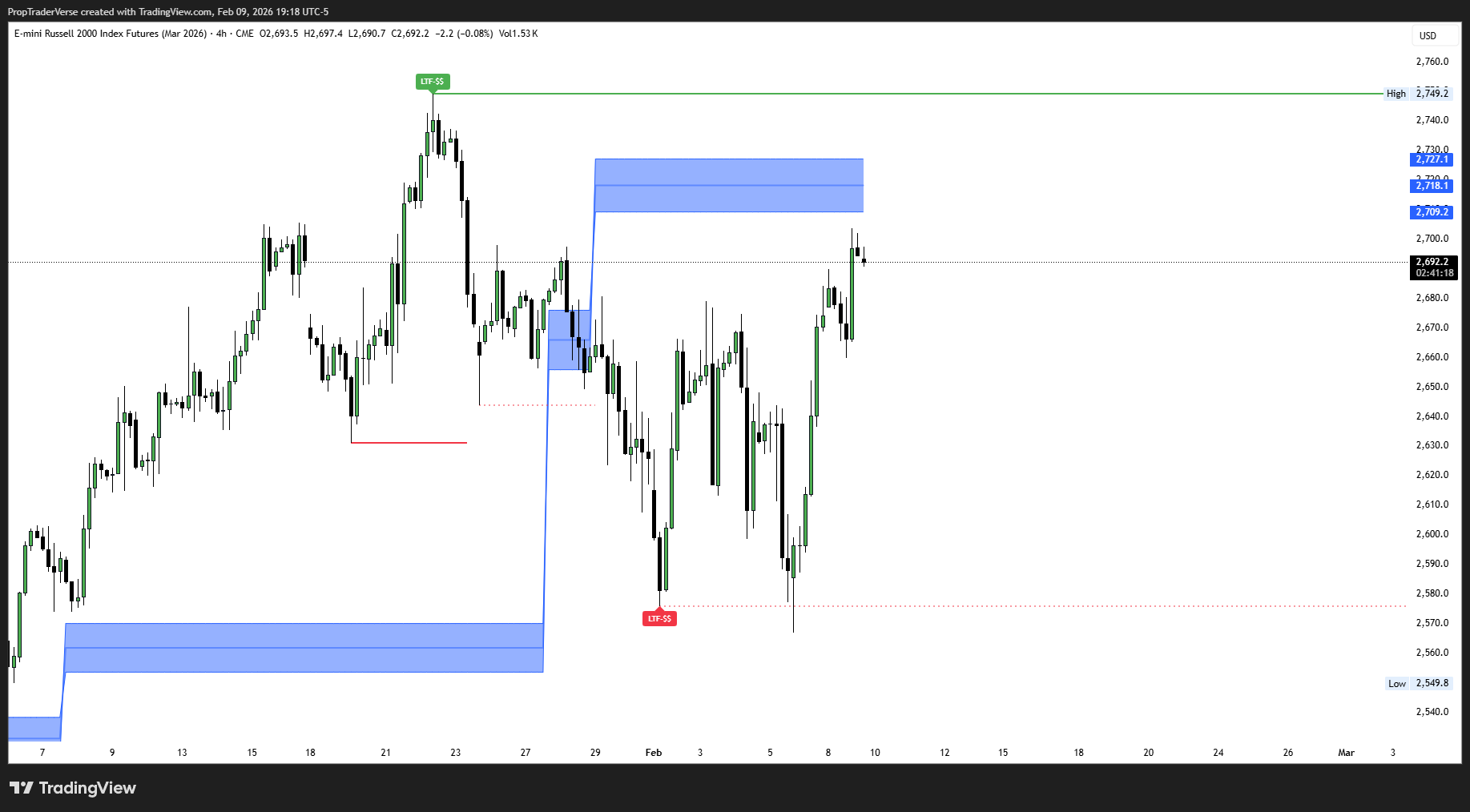
1) Shows You Where Price Is Likely Headed
PTV Pro automatically maps the most relevant swing highs and swing lows on:
-
your current timeframe
-
a higher timeframe overlay
These levels act like magnets because they’re where traders repeatedly react.
PTV Pro keeps them visible so you’re trading toward something real, not just reacting to candles.
2) Confirms Whether the Market Is Continuing or Changing
A push through a swing level doesn’t always mean a new trend.
And treating every break the same is how traders get chopped.
PTV Pro separates:
-
a break (price gets through a prior swing)
-
a direction change (price breaks against the prior direction)
That one distinction is the difference between “follow-through” and “fakeout.”
3) Builds a Directional Entry Zone That’s Smoothed
Directional entry zones are useful—until they move every minute.
PTV Pro uses smoothed anchoring so your entry zone tracks meaningful swings, not every tiny fluctuation.
That makes it practical on 1m/5m execution charts.
4) Filters for Strong Moves (Not Just Any Move)
PTV Pro can require evidence of strength before it prints a setup:
-
expansion/momentum thresholds
-
gap/imbalance behavior
-
optional zone and context filters
So you get fewer signals—but the ones you do get are higher quality.
Modern Features & Workflow
What PTV PRO does (aka why it feels like cheating when you’re used to guessing)
The PTV Pro Setup Logic
(so you stop getting sniped)
PTV Pro doesn’t fire because “a candle looked good.”
It fires when a sequence completes:
✅ A valid target exists
✅ Structure confirms the move
✅ Entry zone aligns
✅ Filters confirm strength
✅ Setup prints only when conditions agree
That’s the whole point: less noise, more clarity.
Real-time.
Non-repainting.
Built for execution —
not hindsight.
Most indicators look incredible after the move.
PTV PRO is built to be useful during the move.
No retroactive “perfect signals.”
No repaint games.
Just a framework that updates in real time and helps you make decisions while it still matters.
Built for Real Trading Screens
You get a clean on-chart dashboard showing:
-
higher timeframe direction
-
current + higher timeframe target levels
-
entry zone status
-
setup readiness and invalidation level
No indicator pile. No guesswork.
Who PTV Pro Is For
-
Traders executing on lower timeframes who want higher-timeframe context
-
People who hate chopped-up “signal spam”
-
Anyone who wants a repeatable process: target → confirmation → entry
PTV Pro is not for people looking for a magic arrow.

Frequently Asked Questions
Is PTV-Pro a signal service?
No—PTV-Pro is a context and execution toolkit. It helps you organize targets, retracements, and impulse zones so you can make cleaner decisions.
What markets does it work on?
Any TradingView symbol. Defaults are tuned for fast intraday futures workflows, but settings are adjustable.
Does it repaint?
Key events are based on confirmed conditions (bar close) for sweeps/tags and filters to keep behavior consistent.
How do I get access?
It’s invite-only. Subscribe, submit your TradingView username, and you’ll be granted access to the private script.